How to Use the OTTV Calculator
A step by step guide to operating the OTTV calculator: what to collect before you start, how to fill in massing, climate and facade inputs, and how to read the whole-envelope result.
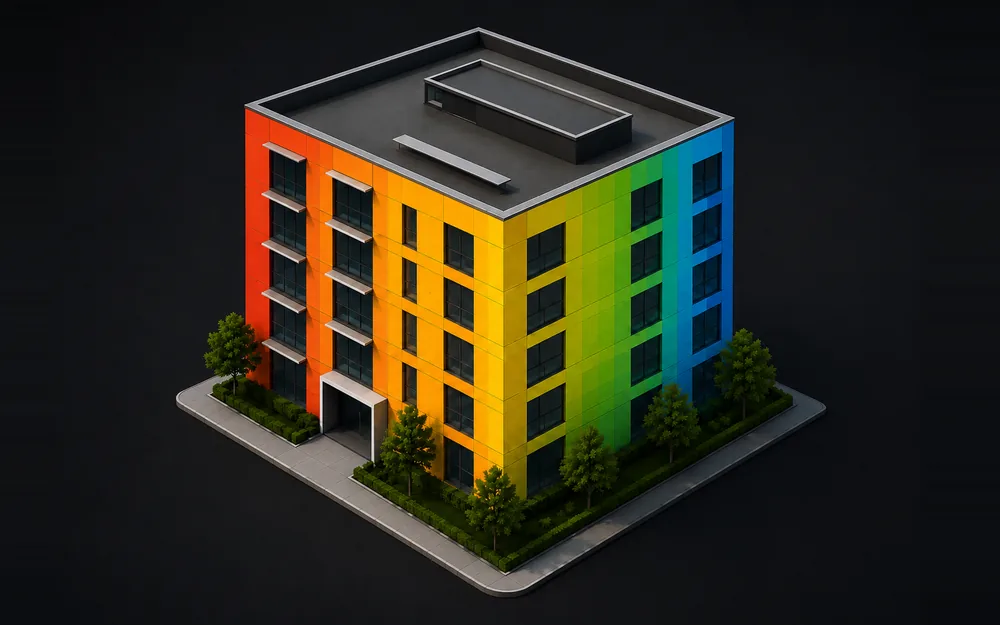
Table of Contents
The OTTV calculator turns four facade descriptions and a building’s overall massing into one whole-envelope Overall Thermal Transfer Value, in W/m². It answers one question: given this footprint, this height and this glazing strategy, does the envelope pass.
The physics behind the OTTV calculator lives on its own page. This reference covers which elevation drives the number, whether the fix is glazing, shading or the wall build-up, and how to move through the OTTV calculator’s roughly seventy fields across four blocks: massing, climate constants, solar factor and facade cards.
The formula
Each facade is solved on its own from three heat paths, then the four are area-weighted into the single envelope figure.
Three terms in order: conduction through the opaque wall, conduction through the glazing, then solar gain through it. In a tropical climate the third usually outweighs the first two together.
- α - solar absorptance of the wall finish.
- Uw, Uf - U-value of the wall assembly and of the fenestration, in W/m²K.
- WWR - window-to-wall ratio for that elevation.
- TDeq - equivalent temperature difference for the opaque wall.
- ΔT - indoor to outdoor temperature difference.
- SC - effective shading coefficient: the glass figure multiplied by what the overhang and the fins add.
- SF - solar factor for that compass direction, in W/m². The calculator interpolates it by true bearing, so rotating the building changes the answer.
Before you start
Gather these before opening the OTTV calculator.
- Footprint length, depth and height - from the same massing model or site plan the client sees at the project’s design review, rather than a rough sketch.
- True compass rotation - from the site plan or an approved permit drawing’s north arrow, since guessing it from a rendering throws off every Solar factor lookup that follows.
- ΔT and TDeq wall - from an SNI 03-6389 calculation published by BSN, the national standards body, or a building physics brief.
- Eight-point Solar factor table - from the governing code’s climate data table for the project’s location.
- Glazing U-value and shading coefficient - from a certified test report, such as one from the National Fenestration Rating Council, once a product is shortlisted.
- Window-to-wall ratio per facade - from the architectural elevations for each of the four orientations separately.
- Wall finish colour and U-value - from the facade build-up documentation.
- Overhang and fin projection depths - from the facade sections, at the same window each dimension shades.
OTTV calculator input fields
The OTTV calculator groups its fields into four blocks, covered here in interface order.
Massing
Width X (N–S facing) - the building footprint length, in metres, off the massing model. Step 0.5, no fixed minimum or maximum.
Depth Y (E–W facing) - the footprint depth, in metres, off the same massing model as Width X. Step 0.5, no fixed limit.
Height H - overall building height, in metres, off the massing model. Step 0.5, no fixed limit.
Rotation ° - the building’s true compass turn from north. Each facade card carries a fixed base bearing (North 0°, East 90°, South 180°, West 270°) that Rotation ° shifts. Step 5, no fixed limit.
Climate constants
ΔT (K) - the outdoor to indoor design temperature difference, driving the glazing conduction term of the OTTV calculator’s formula. Pull it from the project’s climate methodology. Step 0.5, no fixed limit.
TDeq wall (K) - the equivalent temperature difference for the opaque wall, from the same climate source. Drives the wall conduction term. Step 0.5, no fixed limit.
Solar factor
Solar factor (N, NE, E, SE, S, SW, W, NW) - eight boxes in W/m², one per compass point, that the OTTV calculator interpolates by a facade’s true bearing after rotation. All eight start blank. Step 1, no fixed limit.
Facade cards
Four identical cards follow on the OTTV calculator, one each for North, East, South and West. The thirteen controls below repeat identically across all four cards, so this reference lists them once rather than four times.
Wall finish (α) - the exterior wall finish colour, by solar absorptance. 8 options, white paint at α 0.21 up to black at α 0.95.
Wall assembly (Uw) - the opaque wall construction, by thermal transmittance. 6 options, bare 150mm concrete at U 3.40 down to metal cladding with 75mm PIR at U 0.28.
Glazing (Uf / SC) - the glazing type, setting U-value and shading coefficient together. 7 options, 6mm clear at U 5.80 down to triple low-E at U 1.10.
WWR - window-to-wall ratio, glazed area as a percentage of the facade’s gross wall area. Step 1, no fixed limit.
Glass area - the same opening in square metres. Editing it back-calculates WWR from the facade’s own area instead. Step 1, no fixed limit.
SC glass - shading coefficient of the bare glass, before any shading device applies. Step 0.01, no fixed limit.
Uw - thermal transmittance of the opaque wall assembly, in W/m²K. Step 0.05, no fixed limit.
Uf - thermal transmittance of the glazing assembly, in W/m²K. Step 0.05, no fixed limit.
α absorptance - solar absorptance of the wall finish, 0 fully reflective to 1 fully absorbing. Step 0.01, no fixed limit.
Overhang depth - how far a horizontal overhang projects from the glass, in metres, off the facade section. Step 0.1, no fixed limit.
Window height - height of the shaded window opening, sill to the overhang’s underside, off the same section as Overhang depth. Step 0.1, no fixed limit.
Fin depth - how far a vertical fin projects from the glass, in metres. Step 0.1, no fixed limit.
Fin spacing - horizontal distance between vertical fins, the width of glass each one shades. Step 0.1, no fixed limit.
| Input | Unit | Range or options |
|---|---|---|
| Width X (N–S facing) | m | Step 0.5 |
| Depth Y (E–W facing) | m | Step 0.5 |
| Height H | m | Step 0.5 |
| Rotation ° | ° | Step 5 |
| ΔT (K) | K | Step 0.5 |
| TDeq wall (K) | K | Step 0.5 |
| Solar factor, N through NW | W/m² | Eight fields, step 1 |
| Wall finish (α) | dropdown | 8 options, white paint at 0.21 to black at 0.95 |
| Wall assembly (Uw) | dropdown | 6 options, bare concrete at 3.40 to PIR-lined cladding at 0.28 |
| Glazing (Uf / SC) | dropdown | 7 options, 6mm clear at U 5.80 to triple low-E at U 1.10 |
| WWR | % | Step 1 |
| Glass area | m² | Step 1, derived from WWR unless edited |
| SC glass | dimensionless | Step 0.01 |
| Uw | W/m²K | Step 0.05 |
| Uf | W/m²K | Step 0.05 |
| α absorptance | dimensionless | Step 0.01 |
| Overhang depth | m | Step 0.1 |
| Window height | m | Step 0.1 |
| Fin depth | m | Step 0.1 |
| Fin spacing | m | Step 0.1 |
None of the fields carry a fixed minimum or maximum in the interface. The last thirteen rows repeat once per facade card, North, East, South and West each with their own values.
Actions
Load example - fills every OTTV calculator field with a 36 by 22 m, 45 m tall demonstration building at set glazing ratios per facade.
Generate result - runs the calculation and fills the result rail. Disabled until massing, climate and solar factor inputs are complete.
Reset - clears every field back to empty.
Email me this result - sends the OTTV calculator’s headline figure, verdict and per facade breakdown to an address you give. Active only once a result exists.
Reading your result
These are the outputs the OTTV calculator returns once you press Generate result.
Headline OTTV (W/m²) - the decision number the OTTV calculator returns, the area-weighted OTTV for the whole envelope. Compare it against the limit shown beside it.
Verdict - Compliant or Exceeds limit, one building-wide call, with a note showing the margin or overshoot against the limit.
Massing - a small axonometric the OTTV calculator draws for the four facades, each wall coloured by its own OTTV. Green sits at or below 85 percent of the limit, maroon between that and the limit, red once it crosses.
Per facade readouts - SF (interpolated solar factor), PF ov/fin (overhang and fin projection factors), SC eff (effective shading coefficient) and Gain kW (that facade’s own contribution).
Heat gain split - opaque wall conduction, glass conduction and solar through glass, each in kW and as a percentage, plus the combined Envelope wall gain.
Common mistakes
The OTTV calculator will not flag any of these on its own.
- Filling in one facade card only, then assuming the number covers the whole building. Leaving WWR at a north-facing value on the west card understates that elevation’s real contribution.
- Leaving most of the eight Solar factor boxes empty. A rotated building lands a facade between two compass points, so a partial table gives a wrong number once Rotation ° stops being a multiple of 90.
- Editing Glass area before Width X, Depth Y and Height H are set. With the massing still blank, the resulting WWR depends on whatever facade area happens to exist at that moment.
- Setting Overhang depth without a matching Window height. The projection factor is depth divided by height, so a blank Window height gives zero shading credit.
- Leaving the three dropdowns on generic library entries after a real product is specified. The number then reflects the untouched placeholder instead of the actual chosen wall, glazing or finish.
- Rotating the building after the facade cards are filled in. The card still reads North, but the bearing it represents, and its Solar factor, has moved.
When the calculator is not enough
The Glazing and Wall assembly dropdowns in the OTTV calculator pull from a short built-in library, so replace those figures with certified values once a project has committed to specific products. The shading geometry from Overhang depth and Fin depth uses an indicative projection-factor lookup, flagged as such on screen, and a compliance submission should substitute the governing code’s own table first.
Four flat facades is a shoebox. It cannot represent a curved plan, a stepped massing, self-shading between one wing and another, or shading cast by a neighbouring tower, and roof gain sits outside the method entirely. The method also leaves out infiltration, thermal mass, occupant and equipment loads, and plant efficiency.
An OTTV pass still needs the rest of a Greenship submission to hold up, since GBCI scores the envelope alongside energy, water, materials and indoor health criteria the OTTV calculator never touches. At the massing stage, the OTTV calculator answers what matters then: whether the glazing strategy is plausible, and which elevation is driving the number up. ALTA Integra takes a full envelope model and a Greenship submission from there.
FAQ
How do I load the example values in the OTTV calculator?
Click Load example above the facade cards. The OTTV calculator fills the massing fields, ΔT, TDeq wall, the eight solar factor points and all four facade cards with a 36 by 22 m, 45 m tall building at 40 percent north and south glazing, 35 percent east and 30 percent west. Press Generate result afterward to see the output.
Why does the OTTV calculator have eight solar factor inputs but only four facade cards?
The eight boxes cover every compass point, N, NE, E, SE, S, SW, W and NW, because Solar Factor is interpolated at whatever exact angle a rotated facade ends up facing. The four cards are the building’s actual North, East, South and West elevations, each pulling its own value off that eight-point curve.
Can I type a glass area instead of a WWR percentage in the OTTV calculator?
Yes. The Glass area field under each facade card accepts an absolute square metre figure and back-calculates the WWR from the facade’s own gross wall area. Enter the facade width and height first, or the conversion has nothing to divide by.
What happens if I leave Overhang depth or Window height blank in the OTTV calculator?
The projection factor for that shading element defaults to zero, so the OTTV calculator applies no external shading credit on that facade even if a real overhang exists in the design. Fill both fields together, since the ratio between them is what the calculator reads.
Can I change the compliance limit the OTTV calculator checks against?
The interface does not expose that control. The limit your result is checked against is set once at the page level, with a configurable range of 10 to 80 W/m², and the OTTV calculator shows it in the verdict note next to your total.
Why is the Email me this result button greyed out in the OTTV calculator?
It stays disabled until a result exists on screen. Press Generate result first, which fills the result rail and switches the button on, then click it to send the same headline figure, verdict and per facade breakdown the OTTV calculator shows on screen to the address you give, no separate report to build.